Special Savings: 40% Off

MicroPython 101

An advanced introduction to micro:bit programming using MicroPython.

MicroPython Course

Advanced Level
100% Online
14 Lessons
100 Activities
MicroPython 101 MicroPython 101 MicroPython 101 MicroPython 101 MicroPython 101 MicroPython 101 MicroPython 101

Access this and 5,000 coding activities!

Get Started for Free

Give as Gift

Recommended for Ages 11+

Web

No Prerequisites

Python

Python is one of the most popular high-level programming languages today. It is easy to read and flexible for use in functional or object-oriented programming paradigms. Its many useful libraries make it a favorite choice for scripting, machine learning, data science, and more.

What Kids Learn

  • Conditionals
  • Lists
  • Loops
  • advanced loops
  • advanced math
  • advanced string handling
  • basic math
  • boolean logic
  • conditional loops
  • data types
  • expressions
  • function calls
  • functions
  • game design
  • micro:bit advanced input/output
  • micro:bit advanced signals
  • micro:bit clock
  • micro:bit input/output
  • micro:bit music
  • micro:bit radio
  • micro:bit sensors
  • micro:bit signals
  • micro:bit simple input/output
  • micro:bit simple signals
  • micro:bit sprite control
  • micro:bit user interface
  • micro:buit advanced input/output
  • operators
  • python libraries
  • simple conditionals
  • simple variables
  • string handling
  • variables

How Kids Learn with Tynker

Kids learn on their own with a guided, hands-on approach that individualizes the learning experience. Tynker's online courses provide a complete learning system for your child to master the fundamentals of programming. Tynker's visual programming language makes it easy to learn, and once kids gain proficiency, they can seamlessly transition to Javascript coding within the Tynker learning system. Enroll in one of our plans for unlimited play across all courses.

Game-Based Learning

Tynker's self-guided lessons break down coding concepts while solving puzzles and making cool apps.

Interactive Assessments

Quick practice quizzes and assessment tests evaluate a child's comprehension of subjects taught.

Captivating Topics

There's always something to learn with multiple subjects, projects, and coding languages available.

System Requirements

Online courses require a desktop computer, laptop computer, Chromebook, or Netbook with Internet connection and a Chrome (29+), Firefox (30+), Safari (7+), or Edge (20+) browser. No downloads required.

Introduction

Learn to Program the micro:bit Using MicroPython

6 Activities:

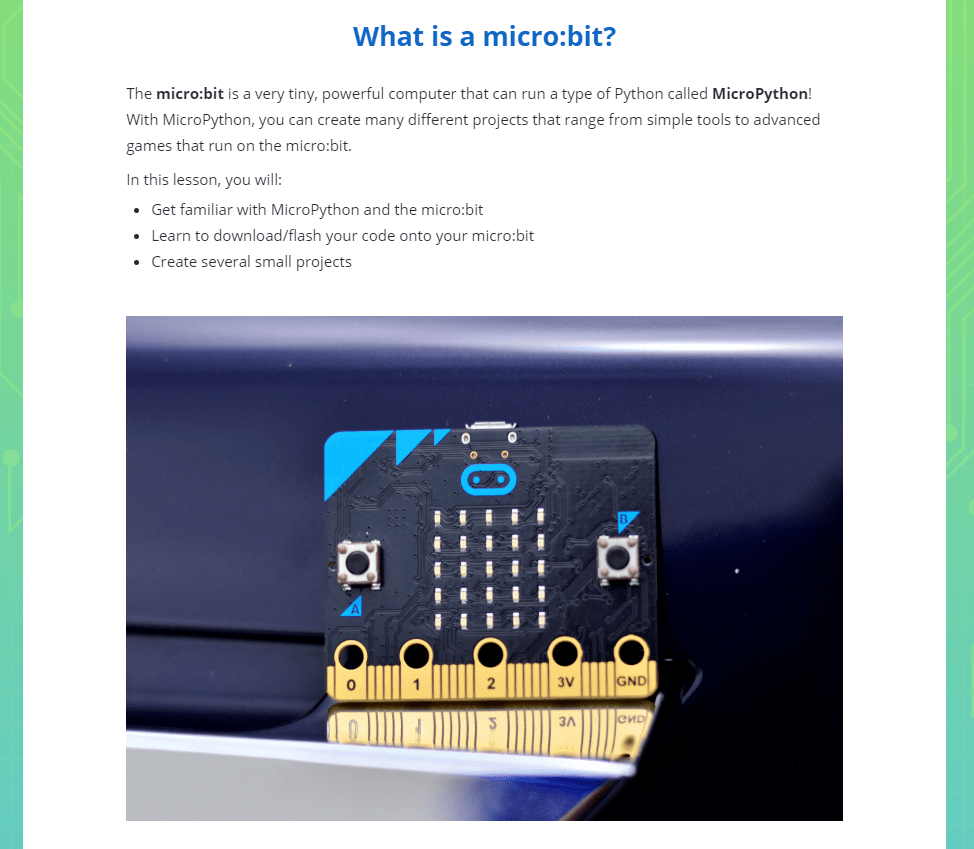
  • What is a micro:bit?
  • What is MicroPython?
  • Hello, World!
  • scorekeeper
  • Review
  • Quiz

Emoji Maker

Learn to draw and animate on the micro:bit using MicroPython

6 Activities:

  • Emoji Maker
  • Drawing an Emoji
  • Animating the Emoji
  • Making Faces
  • Review
  • Quiz

Track and Field

Program a pedometer and a lap timer using micro:bit and MicroPython

9 Activities:

  • Track and Field
  • Project 1: Pedometer
  • Counting Steps
  • Gearing Up
  • Lap Timer
  • Finishing Touches
  • Timing It
  • Review
  • Quiz

Prime Time

Learn to use the micro:bit to work with numbers

6 Activities:

  • Prime Time
  • Prime Number Checker
  • Square Root Machine
  • Bonus: Inputting Numbers
  • Review
  • Quiz

Temperature Search

Learn to use the micro:bit to sense temperature changes

8 Activities:

  • Temperature Search
  • Thermometer
  • Random Temperature
  • Temperature Search Game
  • Finishing Touches
  • Playing the Game
  • Review
  • Quiz

Reflex Master

Build a reaction time game for the micro:bit using MicroPython

7 Activities:

  • Reflex Master
  • Flashing the Screen
  • Timing the Reaction
  • Final Touches
  • Playing the Game
  • Review
  • Quiz

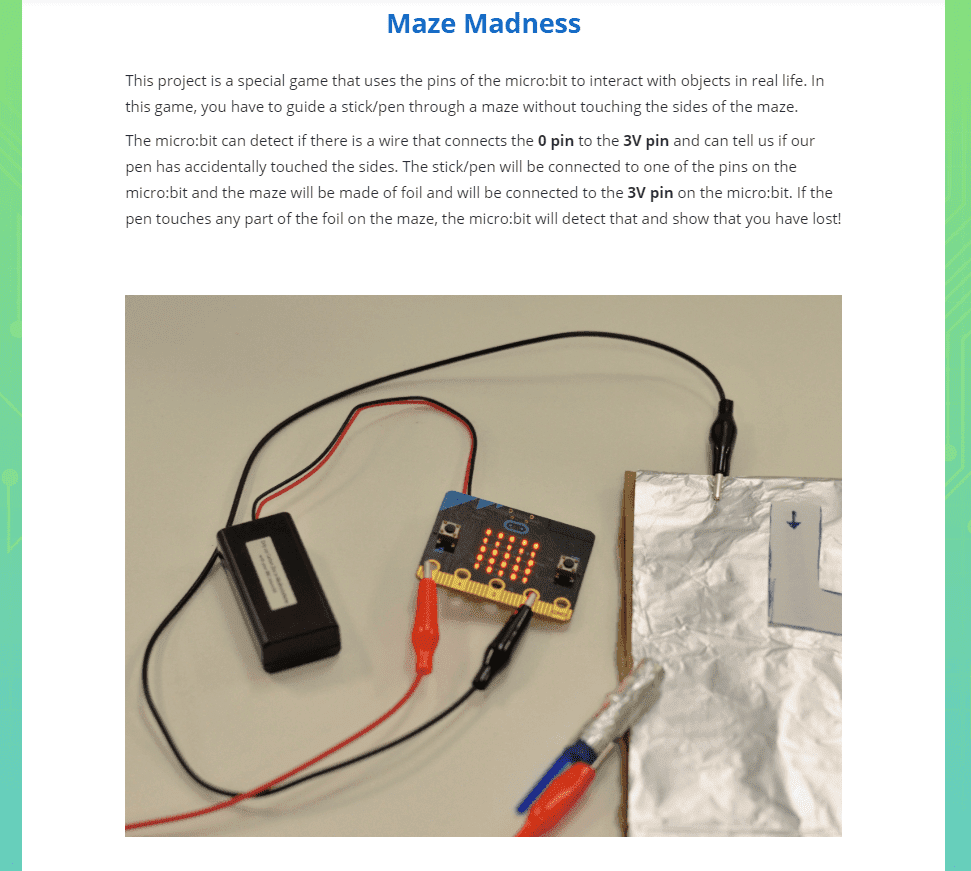
Maze Madness

Create a maze game where you have to avoid touching the sides

6 Activities:

  • Maze Madness
  • Detecting Pin Connections
  • Creating the Maze
  • Testing the Game
  • Review
  • Quiz

High Rollers

Program the micro:bit to become a die that only rolls high numbers

10 Activities:

  • High Rollers
  • High Rollers Game
  • Rolling Multiple Times
  • CPU Dice Rolls
  • Loaded Die
  • Detecting Pin Touching
  • Finishing the Dice
  • Playing the Game
  • Review
  • Quiz

Soundboard

Program your micro:bit to play sounds and use text-to-speech

7 Activities:

  • micro:bit Soundboard
  • Attaching the Speaker
  • Saying Phrases
  • Customizing the Sound
  • Playing Music
  • Review
  • Quiz

Button Masher!

Create a 2-player game where the player who clicks first wins

8 Activities:

  • Button Masher
  • Registering Clicks
  • Displaying Number of Clicks
  • Showing Progress
  • Finishing Touches
  • Playing the Game
  • Review
  • Quiz

Dodgeball

Create a dodgeball game that works on the micro:bit

6 Activities:

  • Dodgeball
  • Showing and Moving Your Character
  • Dropping Balls
  • Finishing the Game
  • Review
  • Quiz

Guess the Word

Build a guess-the-word game on the micro:bit

8 Activities:

  • Guess the Word
  • Displaying the Word
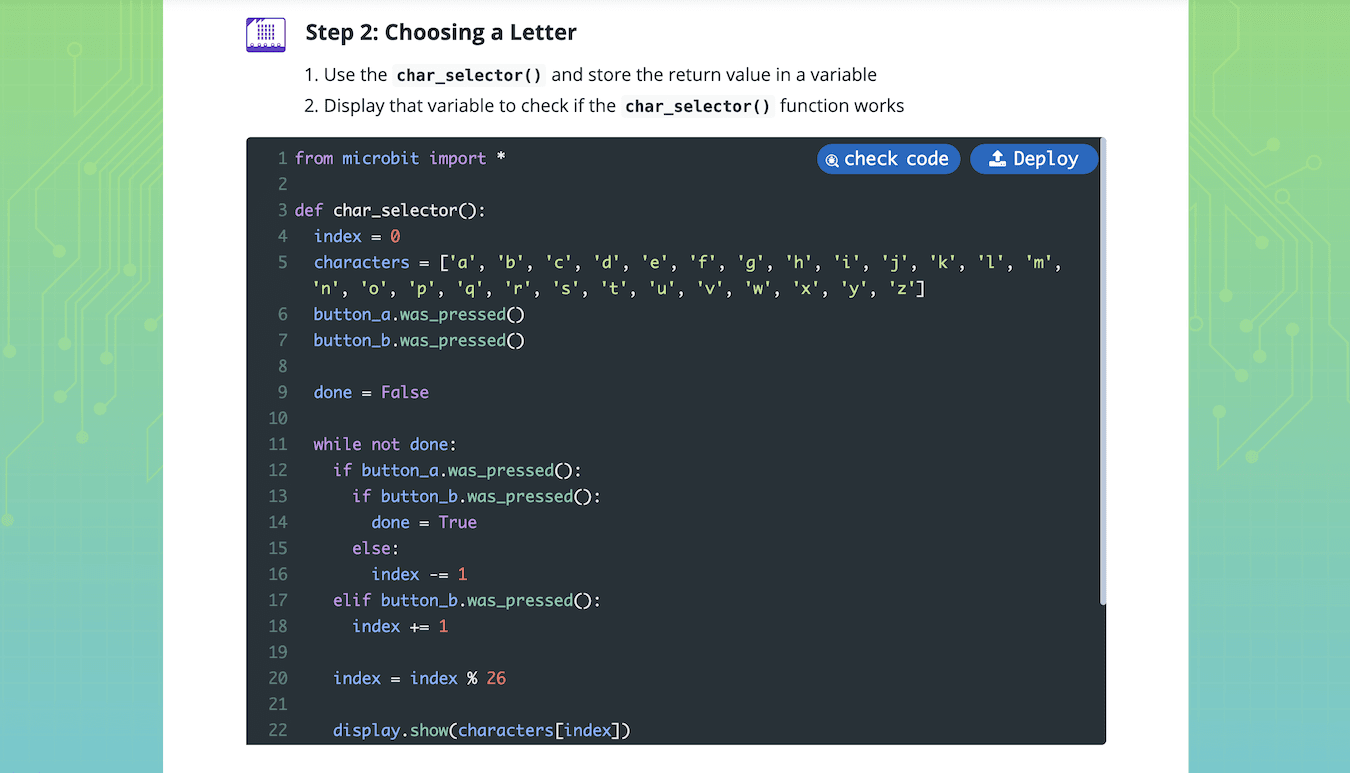
  • Letter Selector
  • Checking the Selected Character
  • Finishing Touches
  • Guessing the Words
  • Review
  • Quiz

Morse Code

Build a micro:bit radio communicator that sends and receives morse code

7 Activities:

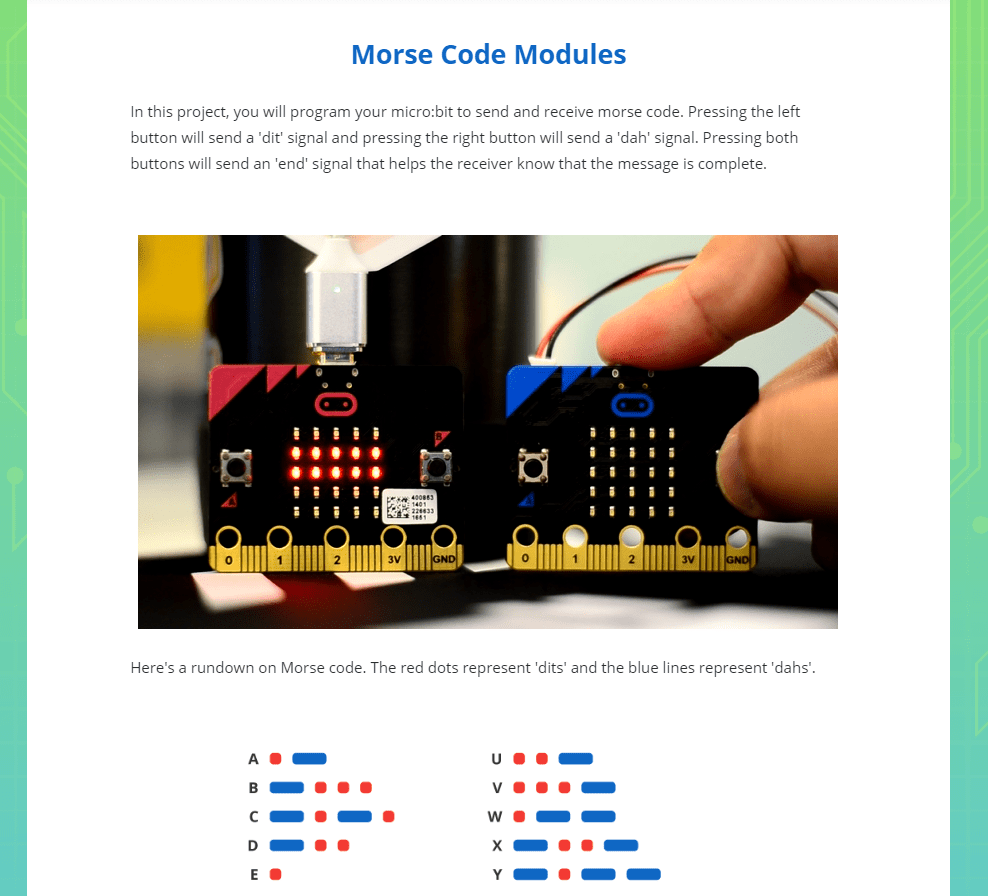
  • Morse Code Modules
  • Sending the Signal
  • Receiving the Signal
  • Combine Sending and Receiving
  • Sending Messages
  • Review
  • Quiz

Treasure Hunt

Write a program to locate a hidden micro:bit

6 Activities:

  • Treasure Hunt
  • The 'Treasure' micro:bit
  • The 'Seeking' micro:bit
  • Playing the Game
  • Review
  • Quiz

Conditionals

Lists

Loops

advanced loops

advanced math

advanced string handling

basic math

boolean logic

conditional loops

data types

expressions

function calls

functions

game design

micro:bit advanced input/output

micro:bit advanced signals

micro:bit clock

micro:bit input/output

micro:bit music

micro:bit radio

micro:bit sensors

micro:bit signals

micro:bit simple input/output

micro:bit simple signals

micro:bit sprite control

micro:bit user interface

micro:buit advanced input/output

operators

python libraries

simple conditionals

simple variables

string handling

variables

Choose a Plan to Accelerate Learning

All plans include access for up to 3 children

40% OFF

Quarterly

$30 $18/month Now $54 billed quarterly cancel any time
40% OFF

Yearly

$25 $15/month Now $180 billed annually cancel any time
40% OFF

Lifetime*

$780 $468 one time payment Best Deal

Access everything Tynker offers

  • Thousands of hours of creative projects in Game Design, Minecraft, Python concepts, and more
  • Personalized assessments and certifications in real-world languages
  • Access to our highly rated mobile apps: Tynker, Tynker Junior & Mod Creator
  • 5,000+ lessons built to improve problem solving skills and academic performance
  • Parent dashboard with mastery stats - watch as they progress from novice to expert
  • 30 Day Money-Back Satisfaction Guarantee
