
-
June 23, 2020
NEW! 4 Cool Editing Features Added to Tynker Workshop
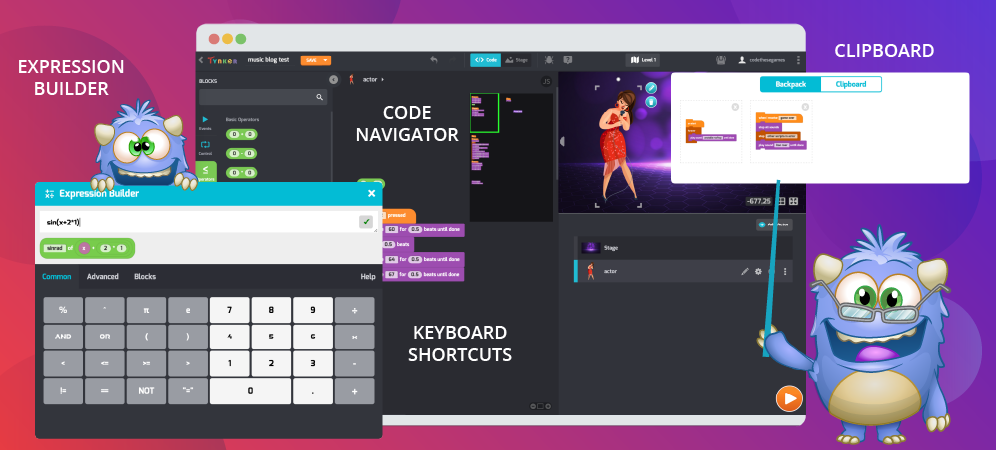
NEW! 4 Cool Editing Features Added to Tynker Workshop Code Navigator Tynker just made editing code easier than ever. Have you ever written so much code that it goes beyond your computer screen’s window? Well, Tynker Workshop has the solution with its new Code Navigator feature, which provides a miniature view of all your Actor’s code. The Code Navigator is […]
0 -
April 29, 2020
Tynker Toolbox: Tynker Workshop Basics
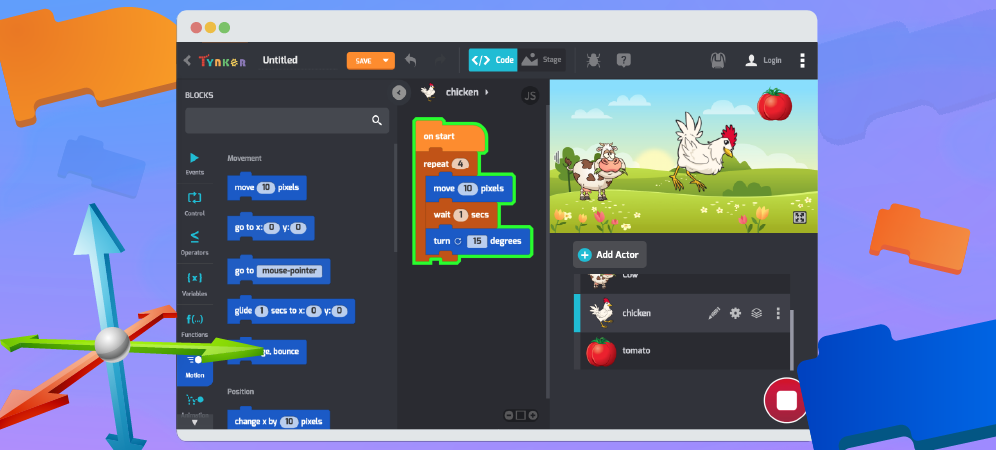
Let’s get comfortable with the absolute basics of Tynker. In this coding for beginners tutorial, you’ll learn how to move Actors on the Stage using code blocks. After logging in at tynker.com, you’ll see your Dashboard. First click Projects, then +Create a New Project. You’ll see links to all sorts of exciting computer programming basics templates: From here you can […]
0 -
March 26, 2020
Tynker Toolbox: Code Block Tricks
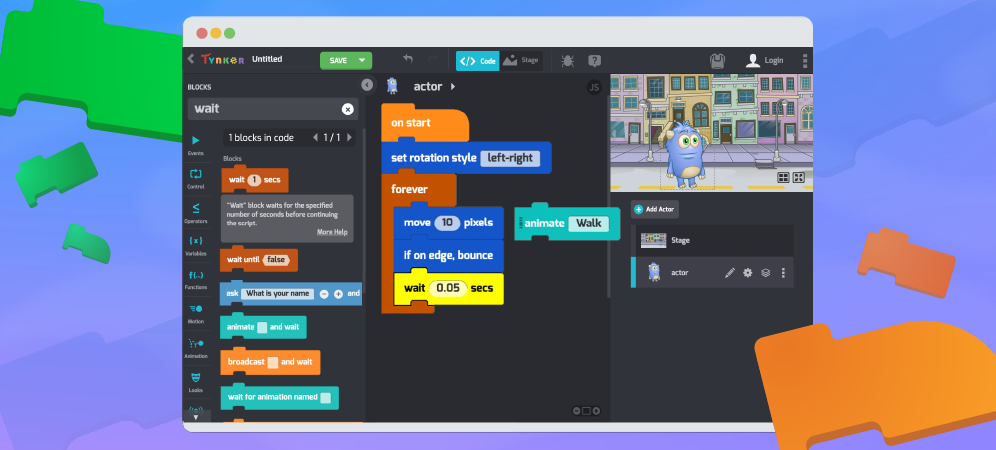
Think you know everything about Tynker Code Blocks? Let’s see about that. Explore some cool hidden features with this code blocks tutorials and become a Tynker ninja! Open up Tynker workshop (Projects > +Create a New Project > Blank Block Project) and follow along! Disconnecting Blocks With block based coding, you’ll often have to rearrange code and experiment with the […]
0 -
January 18, 2019

How to Explain Loops to Kids
How to Explain Loops to Kids There are two basic types of loops in programming: “counting” loops and “conditional” loops. Within those categories are “while loops” and “is for loops.” Below are examples of activities you can do at home to help your child understand the loop definition in computer science. Kids learn examples of for loops and programming concepts like […]
0 -
June 26, 2018

6 Coding Tips from Our Featured Makers
6 Coding Tips from Our Featured Makers Call over your kids – this article is for them! For kids, nothing is more inspiring than hearing from successful peers. Tynker makers agree that while coding isn’t always easy, it’s an important challenge to take on. Our fantastic Featured Makers have shared their tips and tricks for other kids learning to code; see what they’re […]
0 -
August 20, 2016

5 Ways to Get the Most Out of Tynker
5 Ways to Get the Most Out of Tynker Tynker programming courses are self-guided and self-paced, but there are always things you can do to make your child’s experience more successful and fun. We talked to a few parents whose kids have completed multiple Tynker courses to get an idea of how they helped to keep their children engaged and learning. Here’s what […]
0 -
October 14, 2015

Using Physics with Tynker: Part 2
Using Physics with Tynker: Part 2 Tynker’s Physics Engine allows kids to easily make all kinds of fun games, including this Angry Birds™-inspired game! Hold down your mouse to charge the cannon. When you let go, the bird will fly across the screen. The monster has three lives, so you have to hit him three times to defeat him. Tynker’s Physics Engine is a […]
0 -
October 7, 2015

Improved DIYs in Tynker Workshop
We’re excited to announce the release of a new instructional format for do-it-yourself projects. The new format makes DIY projects more intuitive and accessible for younger children by only giving them the blocks they need until they are ready to figure out for themselves which blocks to use. What’s Different? Draggable Blocks When creating DIY projects, students can drag […]
0 -
October 4, 2015

Using Physics with Tynker: Part 1
Using Physics with Tynker: Part 1 Tynker’s Physics Engine allows children to make fun games using properties like bounciness, collisions, and gravity without having to manually program all these complex interactions. Penguins bouncing in zero gravity! In a Physics game, the Actors move by themselves based on the physics properties of the environment. Here is an example of bouncing penguins […]
0
 Coding for Kids > Blog > Tynker Tips
